Introduction
The BI Smart Repository continues to evolve, and numerous new features are introduced in this version 5.4! As a reminder, RapidViews solutionsaim to help you accelerate, centralize, and control your SAP Analytics projects.
Integrations
Addition of our first ETL connector: SAP DataServices
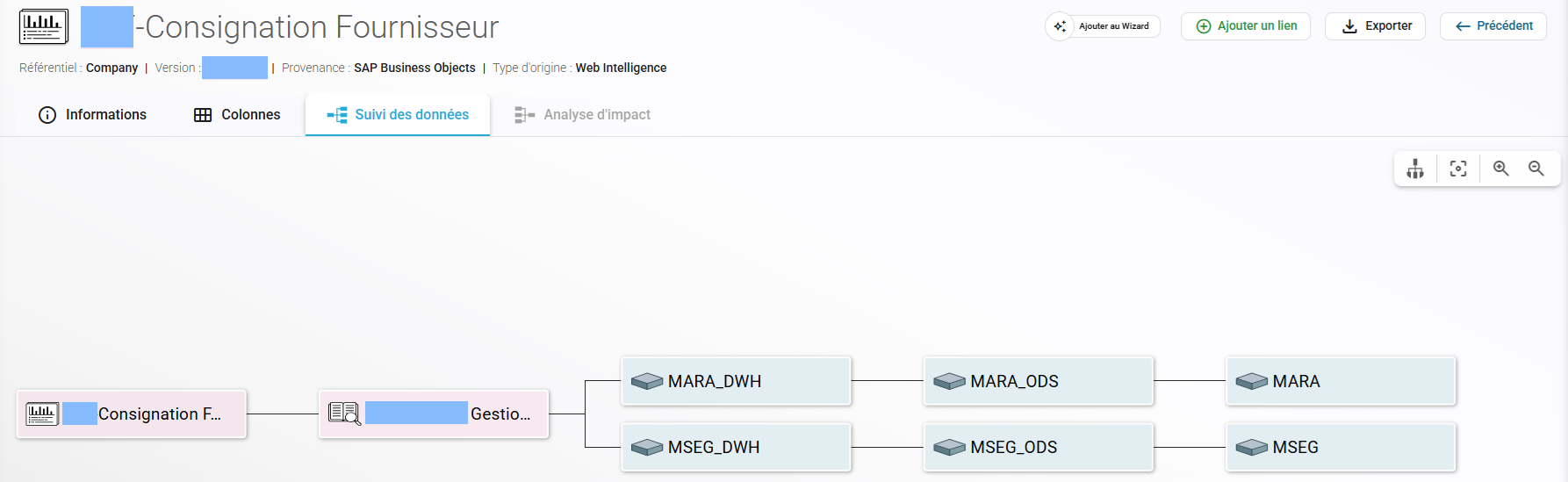
Webi report based on a BO universe that uses SAP data retrieved by SAP DataServices Jobs

Example of Lineage for a report KPI
BW Connector
Improvement of the connector to better import already managed objects
Data Search
Addition of a new data type: "DataSources"

This “View” data type helps identify a “Low” level of lineage, like a data source, while still being able to link it to upstream data.
These objects are conceptually very similar to Table objects, but their lineages can continue further.
Example :
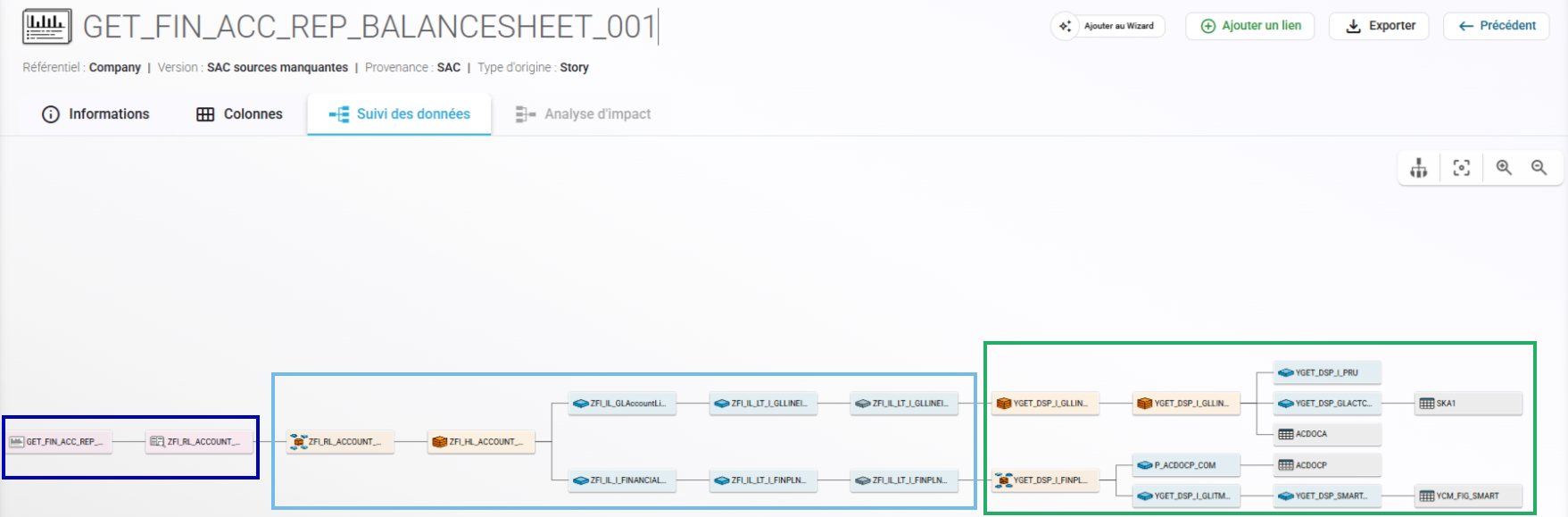
- For our SAP DataSphere connector with an SAC Report based on it, we previously had the lineage from the report to the DataSphere table.
Now, we can extend the lineage below that, if it is, for example, fed by DataFlows retrieving data from CDS Views.
- In this case, we would now have the following lineage:
- SAC Report > Analytic Model DataSphere > DataSphere Views > DataSphere Tables > CDS Views > SAP Tables
Filters on Business Domains are now dynamic
These filters are linked to the administration of the Business Catalog you have configured.

Displaying subtype data
Information on the subtype (also called Original Type) of an object is now available in various Data Search screens.
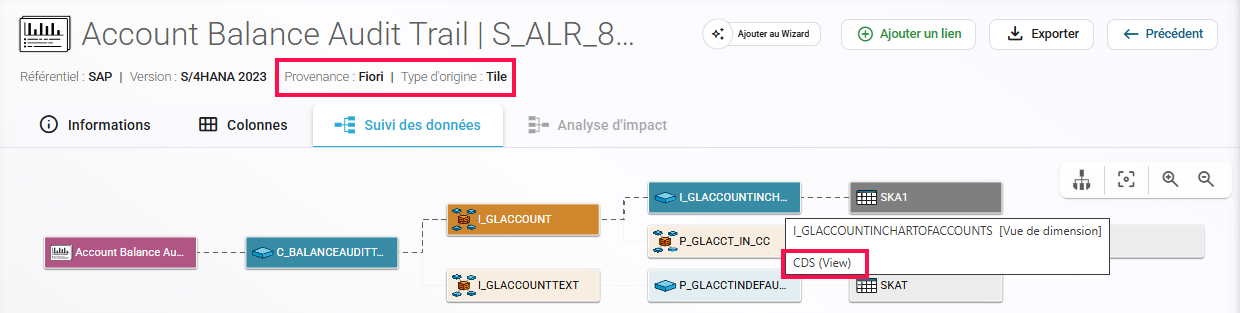
- This original type, in addition to the platform, helps identify the object type within its original environment.
- For example, this will allow us to differentiate between different types of BW Views we can import, such as InfoCube, Composite Providers, Multi Providers, DSO, ADSO, etc.

SAP and RapidViews repositories
It is now possible to select SAP and RapidViews repositories in the Business Catalog, Analytics Hub, and KPI Hub.

SAP modules are currently being generated and will be available very soon.
Business Catalog
The Business Catalog administration screen has been completely redesigned to simplify the creation and modification of business domains and the assignment of objects.
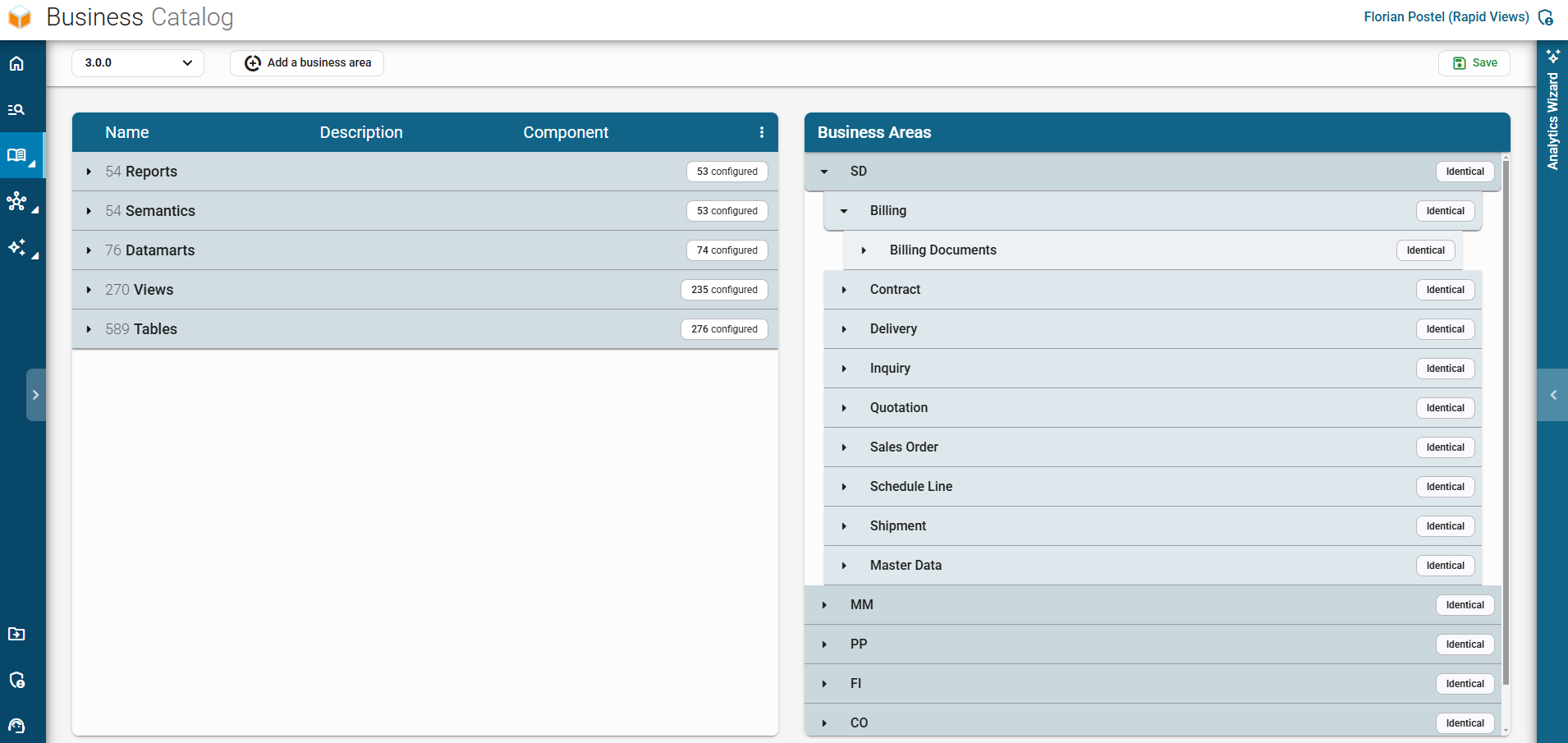
- There is now only one tree structure representing your business domains as well as their sub-levels.
- It is possible to add up to 3 levels for a given business domain.
Our business domain “SD” has a sub-level “Billing”, and another sub-level “Billing Document”.
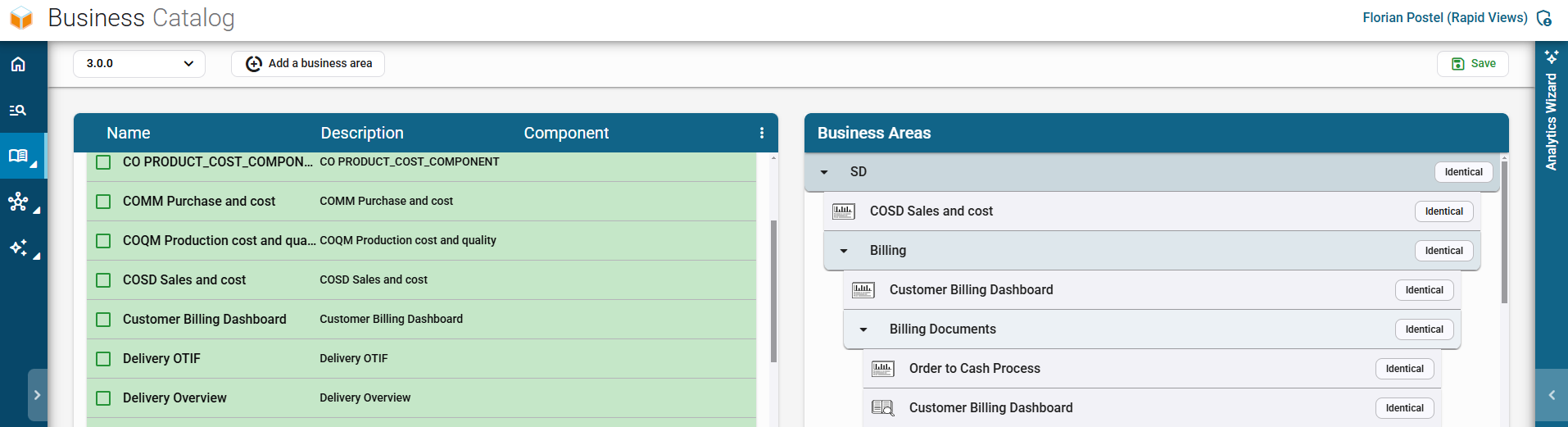
You can now assign an object at any level of the tree:
- Business Domain
- Sub-level 1
- Sub-level 2
These assignments will allow for easier filtering of objects in the Analytics Hub, KPI Hub, and Data Search.
You can now assign an object regardless of its type (Report, Semantic, View, Table).

Minority Extractor
Overall refactoring of selection and filtering screens based on connectors for better maintainability.
SAP BW – Improved exports of objects.
SAP DataSphere – Improved exports using SAP DataSphere APIs.
- Addition of Analytic Models.
- Addition of DataFlows and ReplicationFlows.
Beta) PowerBI – Export of PowerBI reports:
- Ability to export PowerBI reports present on the user’s machine.
- Ability to query PowerBI APIs to export reports as .pbix files.
Let's talk about your project
Would you like to take things further after reading this article? Book a 30-minute call with a RapidViews expert to discuss your SAP challenges and optimize your infrastructure.
Book an appointment