
Introduction
The BI Smart Repository continues to evolve, with a host of new features in version 5.3 ! As a reminder, the RapidViews solutions will help you to accelerate, centralize and control your Analytics projects.
Wizard
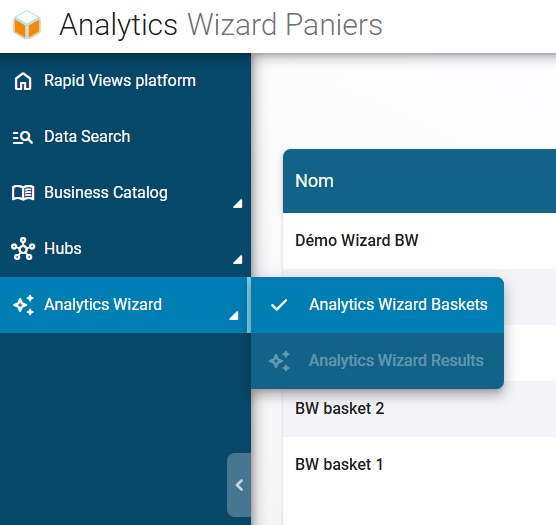
The Analytics Wizard is now a standalone feature of the application and is now ‘Global’ throughout the entire app – Baskets are now accessible from the menu on the left side of the screen.
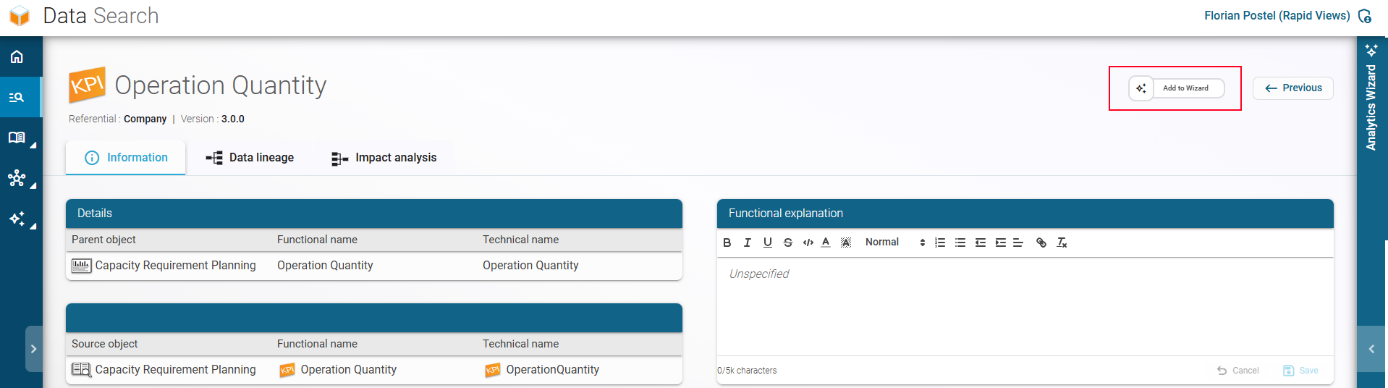
- You can add elements (Objects or Columns) from any feature of the application by opening the details of an object / a column or the columns tab of an object :
- Object details

- Column Details
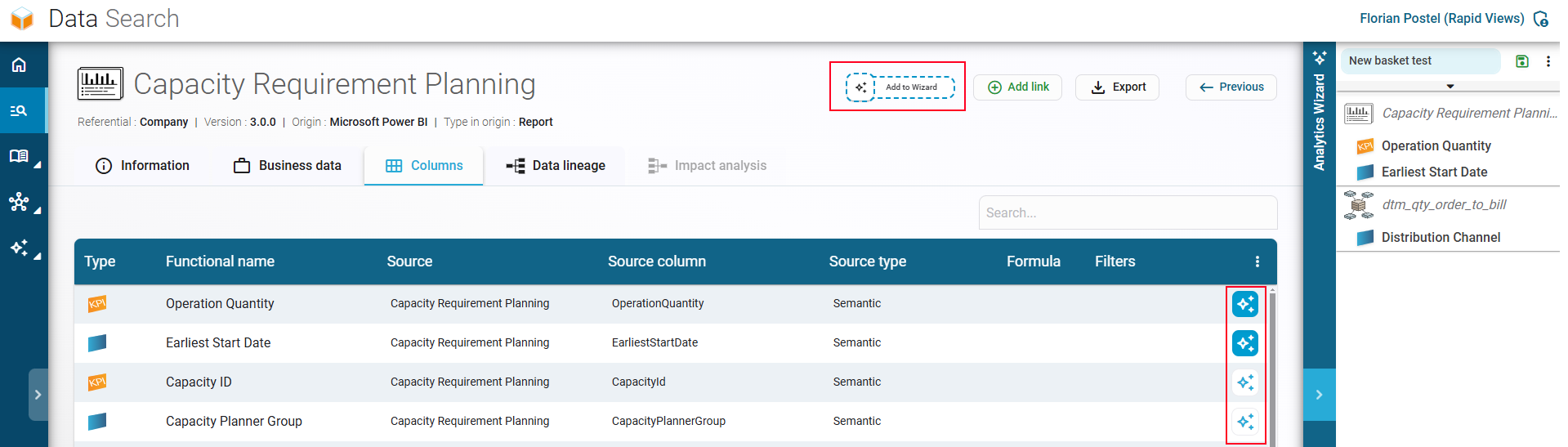
- Columns Tab
Basket content rework
You can now add columns or objects of any type (Report, Semantic, View, Table)
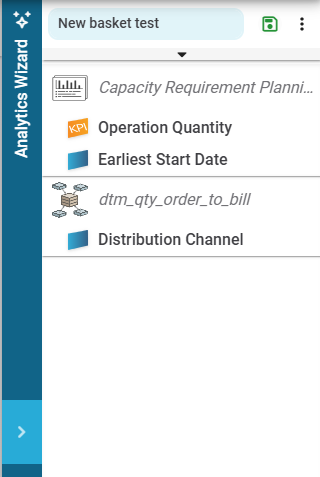
- The basket content is no longer divided into Objects / Transactional Data / KPI / Master Data – Instead, you can now directly find objects or columns in it.
- You are now able to mix Objects / Columns from multiple repositories / versions.
Calculation
- Improved Wizard calculation time
- (Beta) Selection of the execution repository for a basket – You can now change the execution repository of your basket
This feature allows you to calculate the contents of your cart on a different repository.
Use Case :
I have an object, for example a report, that I want to migrate to a new technology or a new reporting tool. I want to see which report is available in my new technology.
Example :
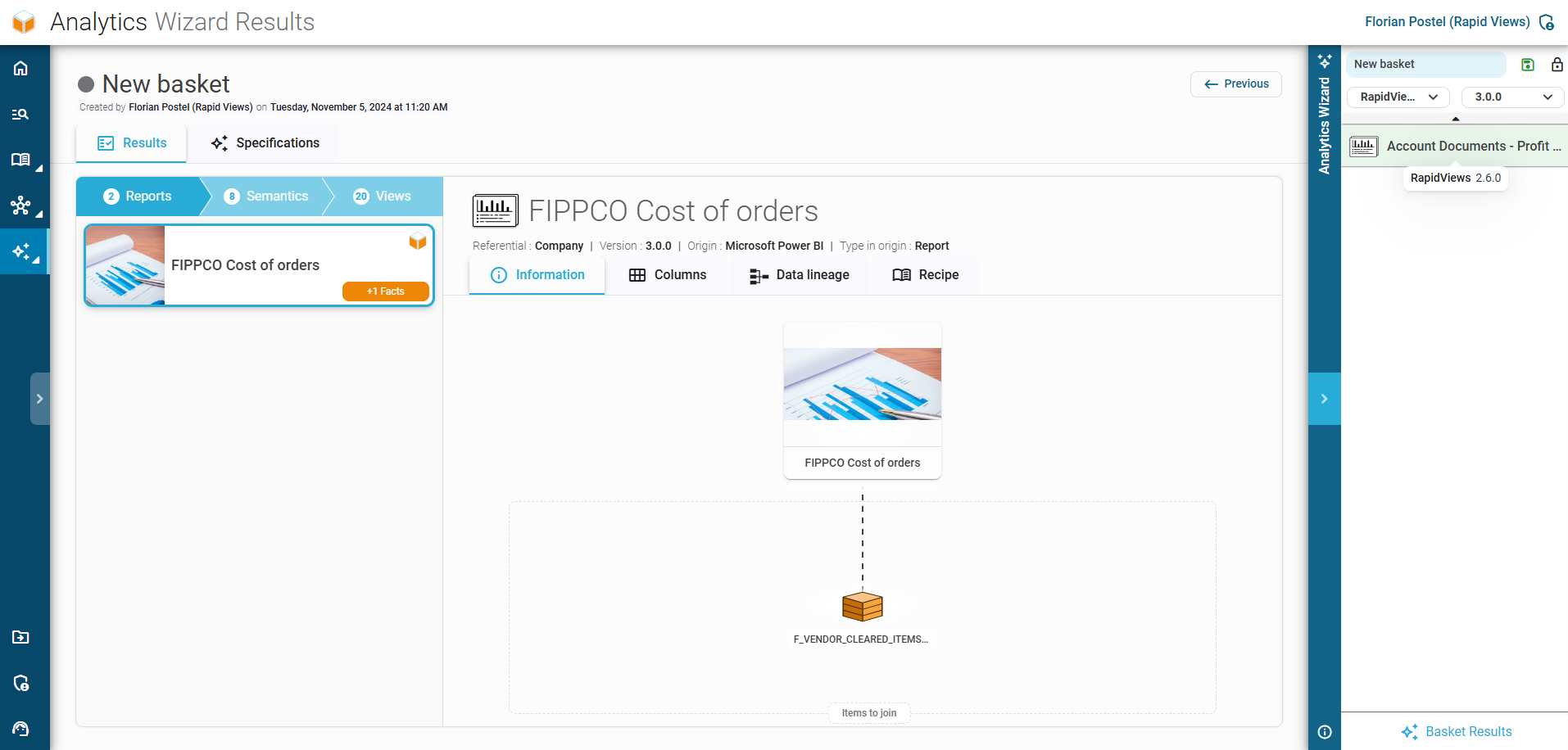
- I want to migrate the report ‘Account Documents’ from version 2.6 of the RapidViews contents (WEB Intelligence) to PowerBI
- I drop the report in the basket and select version 3.0 as the execution repository
- I run the calculation, and the ‘FIPPCO Cost of orders’ report (PowerBI) from RapidViews 3.0 is suggested. The wizard also indicates that columns from the fact view ‘F_VENDOR_CLEARED_ITEMS’ need to be added to it.
Custom Integrator
BW Connector
Improved connector for better importing of already managed objects
Importing new object types :
- InfoCube
- Hana External Views
- Multi Providers
- Transformations
- InfoSource
- DSO
DIGDASH Connector
Improved connector for importing new cases
SAP FIORI Connector
Added standards FIORI Tile for SAP 1709 referential
Filters Import
Filters on columns are now parsed and saved for the following connectors
- CalculationViews
- CDSViews
- BEx Queries
Improved error handling during import
Hubs
Data Glossary
- You can now download an Excel file containing displayed content
- Refreshed screen design
Data Search
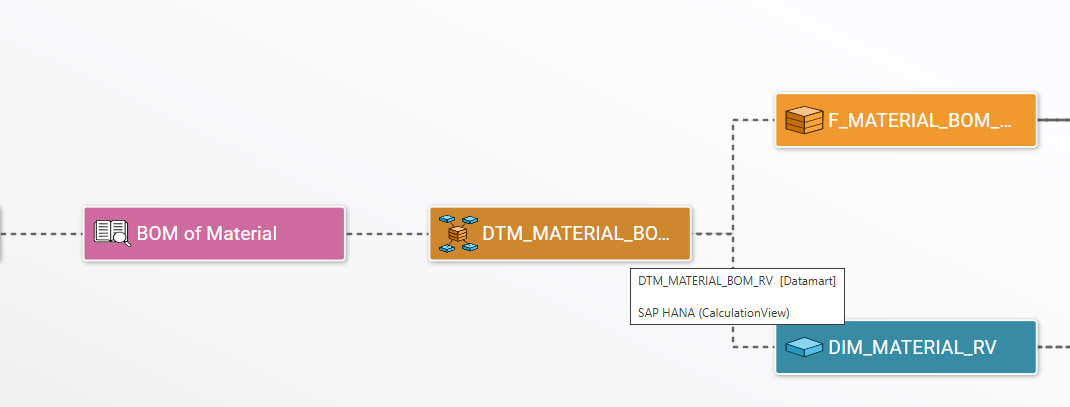
Object Connector and Type are now saved and displayed for all object types (Report / Semantic / View / Table)
These informations are displayed on following screens :
- Search result – Object informations
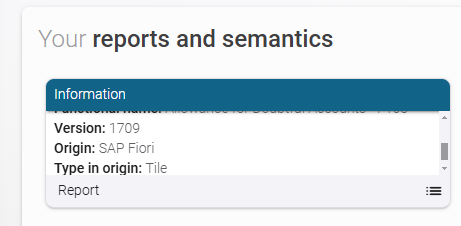
- Object details – Object metadata

- Lineage / Impact Analysis – On hovering over an object
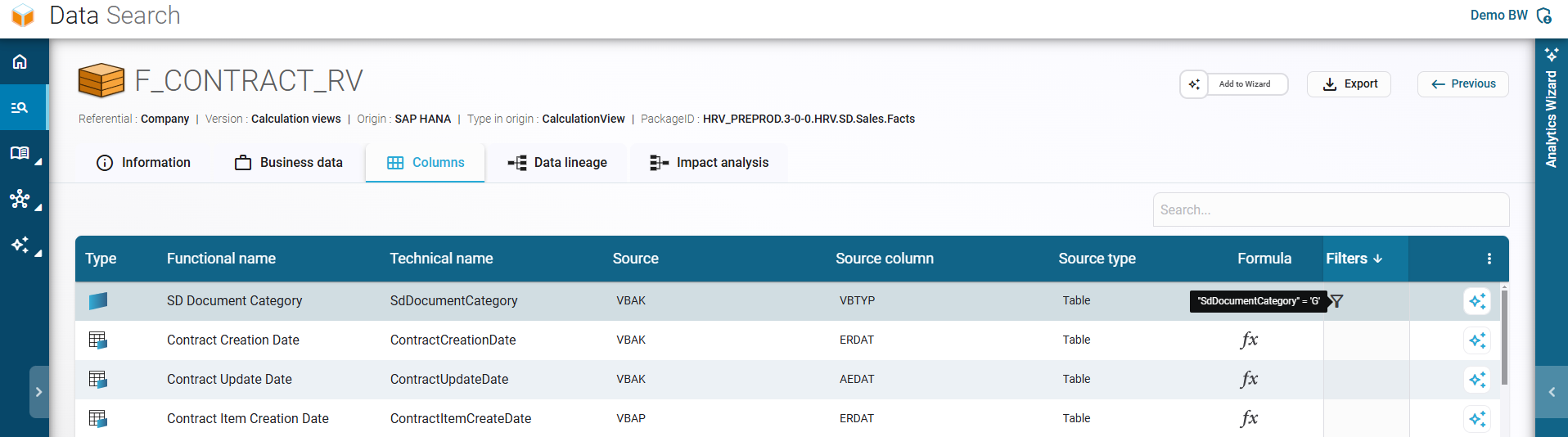
Object details – Columns Tab:
- Filters on your object columns are now displayed. You can hover over the icon to see the filter value in the tooltip
- Formulas are also visible the same way
Minority Extractor
Rearrangement of the menu for better consistency according to the connectors
Improved selection and filtering based on the connectors
BW – You can now export following object types :
- InfoCubes
- Hana External Views
- Multi Providers
- Transformations
- InfoSources
- DSO
CalculationViews
Ability to export CalculationViews from the application
Let's talk about your project
Would you like to take things further after reading this article? Book a 30-minute call with a RapidViews expert to discuss your SAP challenges and optimize your infrastructure.
Book an appointment