
Version 7.1 of BI Smart Repository has just gone live with a host of new features.
BO v2 Audit – Overall Improvement of the Feature
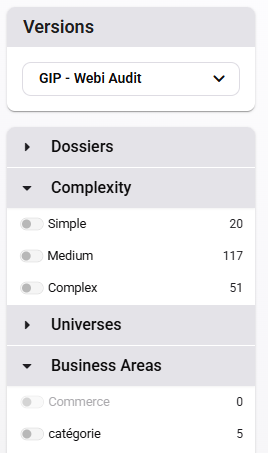
We have enhanced the BO analytical audit feature. New filters are now available, including filtering by folder, report complexity, universe, or business domain.
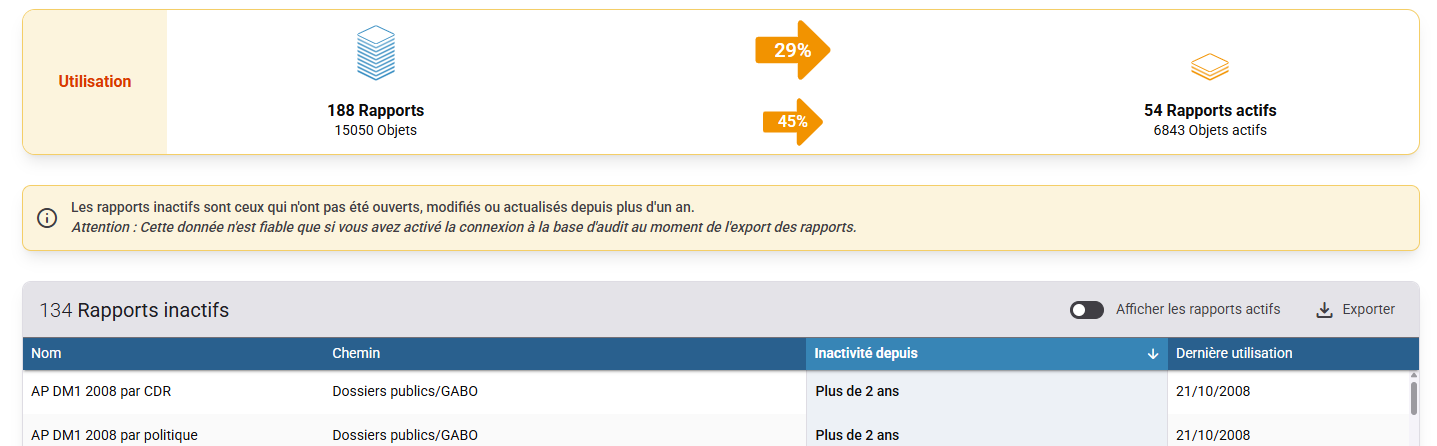
In addition, we have improved the display of active and inactive reports, with the option to export the list of reports to Excel files.
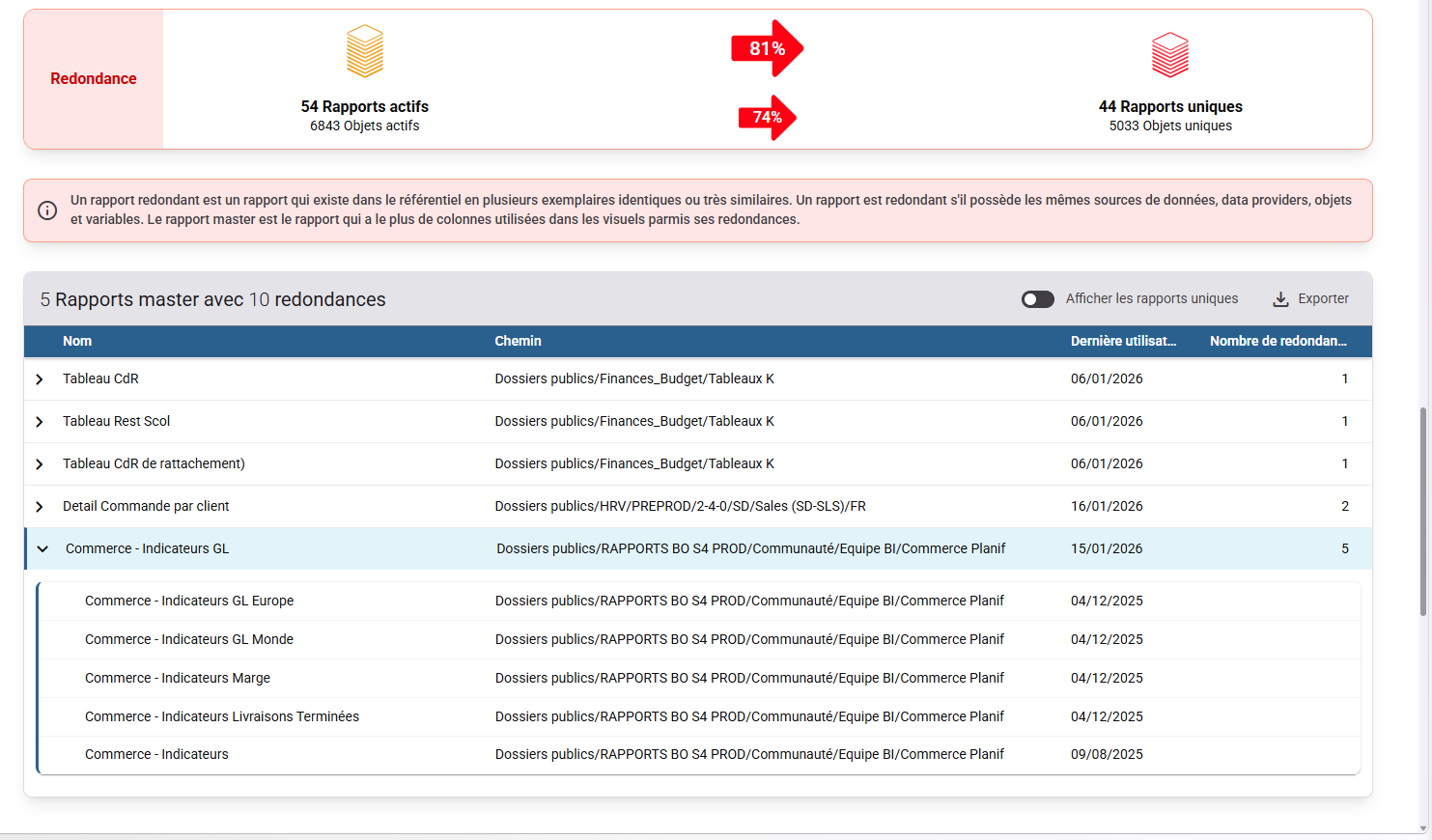
We did the same for the display of redundant reports
Data Search - AI-Generated Report Descriptions
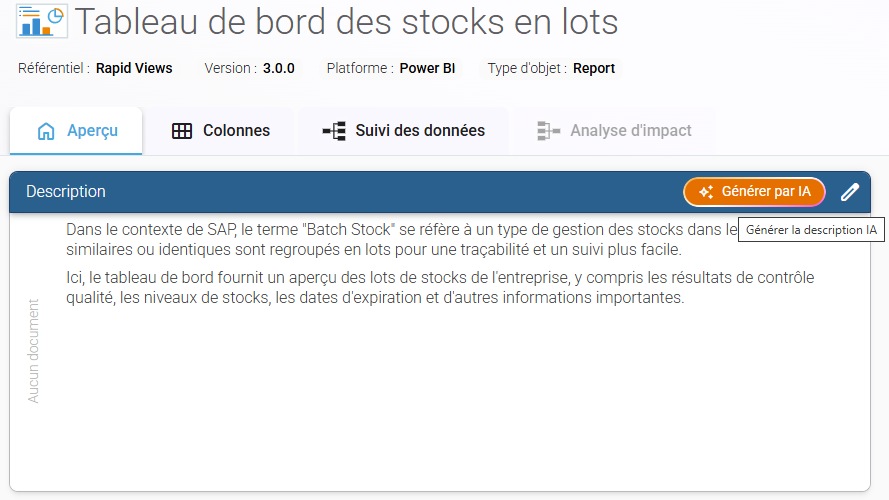
A new button now lets you automatically generate a description of your reports using AI, regardless of which connector you use.
The generated description outlines the main elements of the report:
- Overview: provides an overview of the report's content and the information it contains.
- Purpose of the report: explains its purpose and the decisions or analyses it enables.
- Key metrics: Identifies the main data points, metrics, and dimensions displayed in the report.
- Data sources: Describes the origin of the data used to generate the report.
- Use Cases: Provides concrete examples of situations in which the report can be used by various business units.
Enabling the feature:
This feature is disabled by default. To enable it, please contact our sales team.
Model used:
Descriptions are generated using GPT, and the model may evolve as the feature is improved.
Data submitted to GPT models via Azure OpenAI is treated as confidential, is not used to train Microsoft or OpenAI models, and remains isolated within the customer's Azure tenant in accordance with Microsoft's privacy commitments.
BW Connector – Improvements
The BW connector includes several enhancements designed to enrich the reported data and improve the reliability of connections between different types of objects.
Management of BEx Queries has been improved, with more comprehensive reporting of exported data and better management of connections to upstream objects, including Composite Providers, Infosets, and CDS Views.
The display of labels in French and English has also been improved for various types of objects to provide more comprehensive and consistent information.
Finally, Composite Provider management has been enhanced to improve the reporting of columns and better identify their sources.
General Improvements
The platform is evolving with a migration of the back end to .NET 10 to improve its performance, security, and maintainability.
The password management policy has also been strengthened to improve overall account security. From now on, all new accounts and password changes must meet the following criteria: a minimum length of 12 characters, at least one uppercase letter, one lowercase letter, one number, and one special character.

Minority Extractor
SAP BW – Connections and Performance:
The SAP ABAP connection methods supported by SAP BW have been expanded. It is now possible to connect via an Application Server or a Message Server, with support for routing via SAProuter.
SAP BW exports have also been improved to optimize performance, particularly in terms of execution speed and resource usage.
SAP BO / Web Intelligence:
A new CSV export feature now allows you to extract audit data from SAP BO / Web Intelligence.
General – Connection Error Handling:
The display of connection errors for various platforms has been improved to provide clearer and more explicit messages in the event of a connection problem.