Version 7.0 of BI Smart Repository has just been released, bringing a significant range of new features and enhancements.
New Feature: Audit
A brand-new capability has arrived in BI Smart Repository: Web Intelligence Report Audit. Designed to provide enhanced and actionable visibility into your report assets, this innovation addresses major challenges in performance, rationalization, and the management of your BI environments. You can find more details about this feature in our dedicated article.
Enhancements for the SAP BW Connector
Lineage
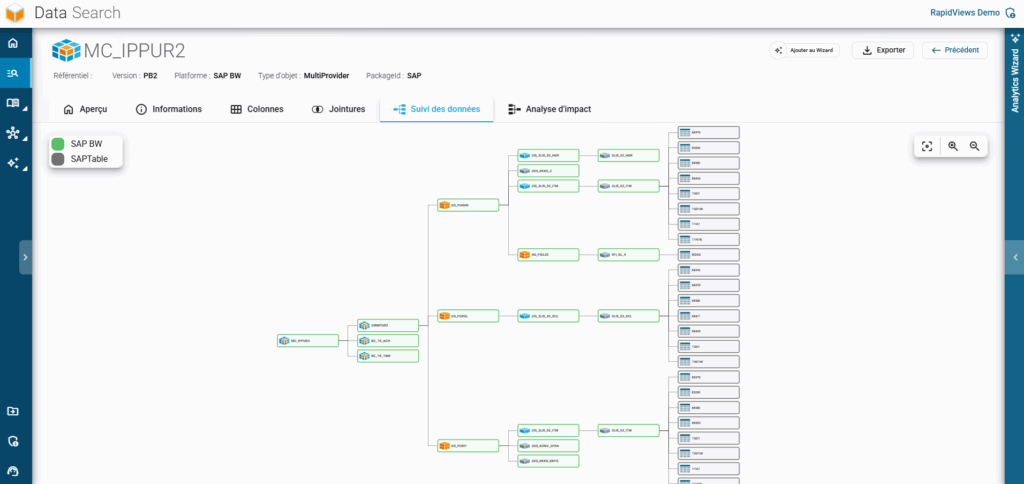
Identification of the DataSources – Extractors – SAP Tables link.
Extension of the Lineage down to the SAP Tables.
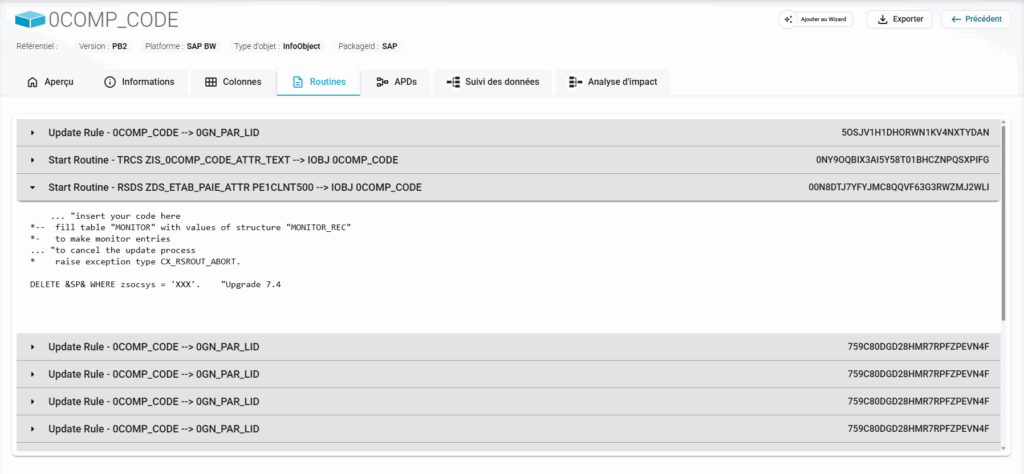
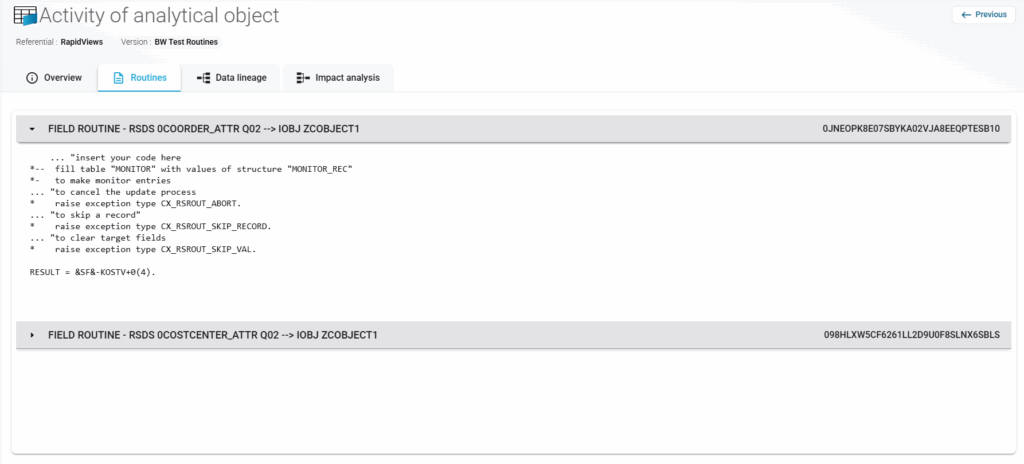
New Tab: Routines
A new “Routines” tab has been added for BW objects and BW object columns that have one or more routines. You can view the routine type, description, BW ID, and the ABAP code of the routine.
Available at the Object level.
Available at the Column level.
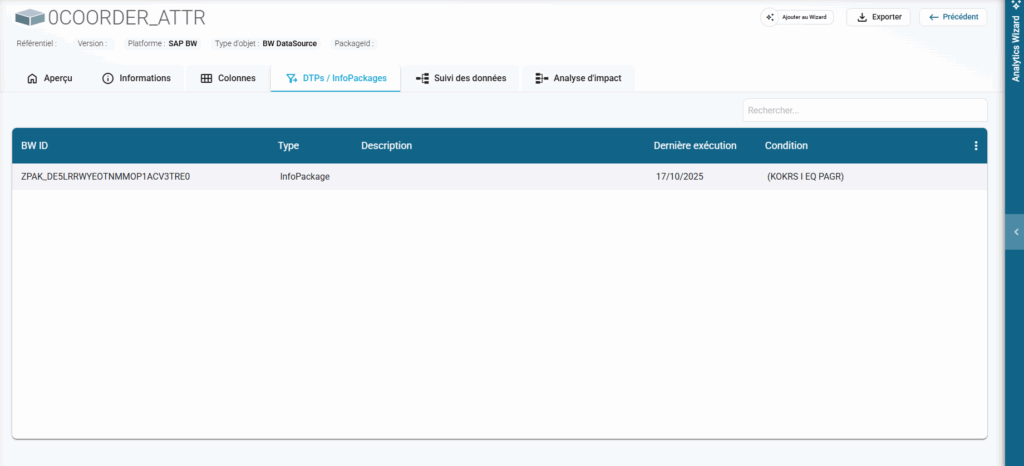
New Tab: DTPs / InfoPackages
A new “DTPs / InfoPackages” tab is now available for BW objects with one or more DTPs or InfoPackages. You can view the BW ID, type, description, last execution date, and any existing conditions.
New Tab: APDs
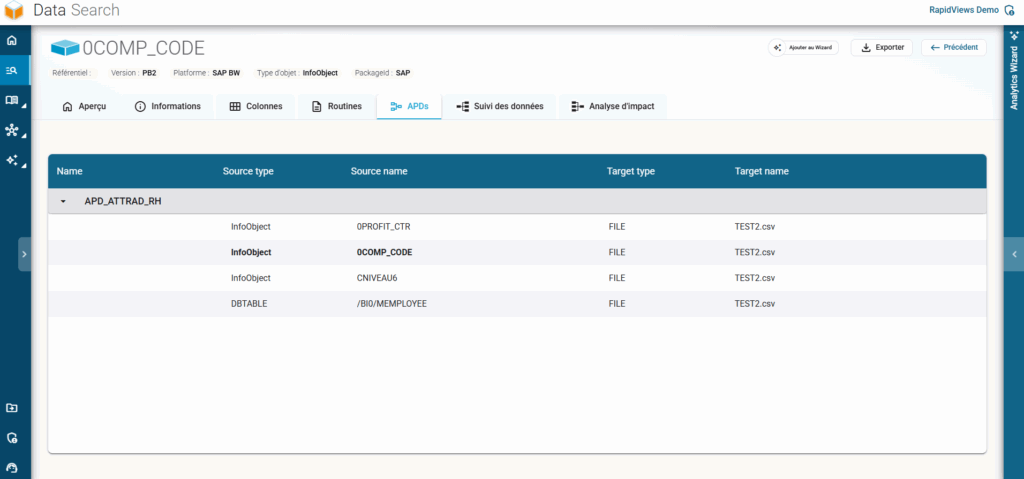
An “APDs” tab has been added to BW objects to identify the Analysis Process Designers (APDs) using them. You can view the APD name and its various sources/targets.
New Object Type – InfoSet
Support for exporting and importing InfoSet type objects.
Columns Tab – Routine Indicator
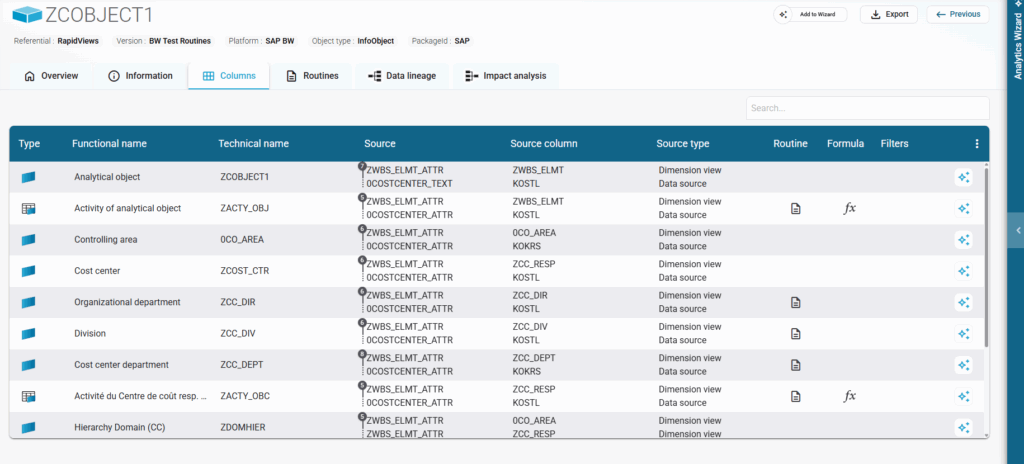
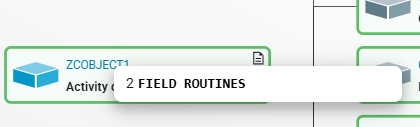
Added an icon to identify columns with at least one routine applied.
Hover effect: The icon indicates the exact number of routines present.
Lineage Tab – Routine Icon in Column Lineage
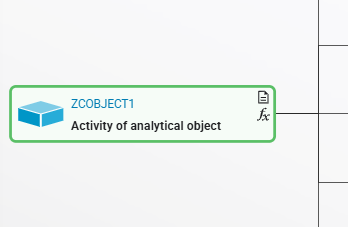
An icon now indicates the presence of a routine within the Column Lineage.
Hover effect: Displays the number of routines for each type.
Reminder: The presence of filters and formulas is already indicated by dedicated icons.
Enhancements for the SAP BusinessObjects Connector
Information Tab – New Metadata
New metadata fields have been added to the Information tab for Web Intelligence reports. This data is available in raw format and is also utilized by the new Audit interface.
Added fields: Created by, Modified by, Favorites, UID, Host, Port, Last Refresh Date, Modification Date, Creation Date, Number of Queries, Number of Columns per Query, Number of Variables, Number of Tabs, Visuals per Tab, and Blocks per Tab.
New Tab: Queries
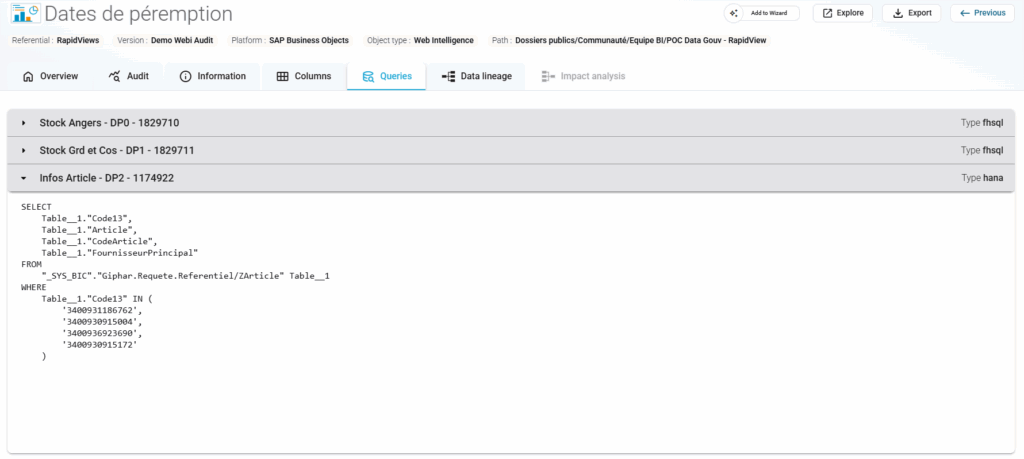
A new “Queries” tab allows you to visualize all queries within a report. For each query, we display its name, DataProvider name, DataProvider (or Universe) ID, and query type.
Click on a query to view its full content.
Automatic OpenDocument Link Generation
The link to open a Web Intelligence report is now generated on the fly, making it automatically available for all reports loaded in the application. You can now open all your Web Intelligence reports directly from BI Smart Repository.
Click the button at the top of the report details.
If the BO server is reachable from your workstation, the report will open in a new browser tab.
Lineage Improvements
Enhanced automatic lineage between SAP Web Intelligence reports and HANA Views.
Enhanced automatic lineage between SAP Web Intelligence reports and BW BEx Queries.
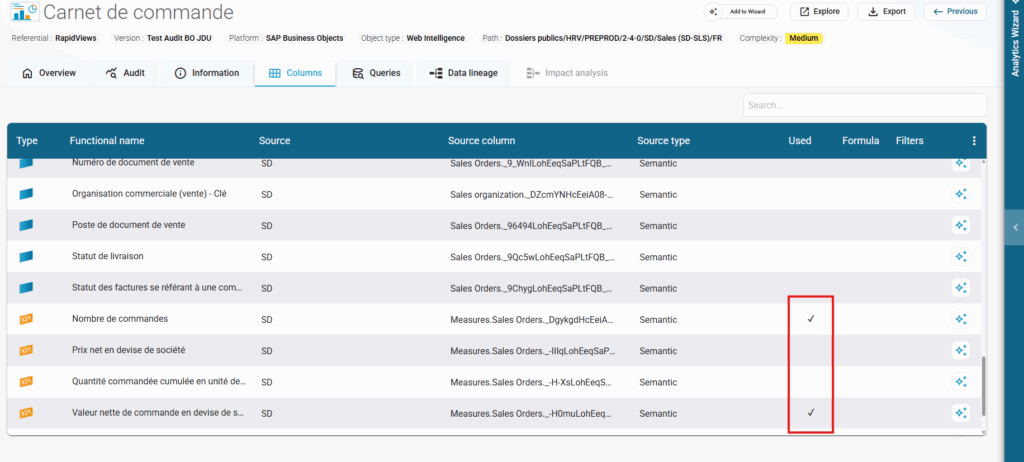
Columns Tab – Usage Indicator
Added an icon to visualize columns actually used in the report.
Custom Integrator – Other Connectors
QlikSense Server & Qlik Cloud
Overall enhancement of the connector and QVS Script parsing.
Full lineage down to data sources, regardless of type (SQL, Snowflake, Oracle, Files, etc.), showing intermediate tables generated in Qlik.
Management of Dimensions, KPIs, formulas, and filters.
SAP HANA CalculationViews Script
CalculationViews Script types are now supported, with lineage continuing down to the source table.
CDS Views
Improved links between PowerBI reports and SAP CDS Views.
Improved links between SAP Analytics Cloud (SAC) reports and SAP CDS Views.
Minority Extractor
Automatic Import from the Application (Beta)
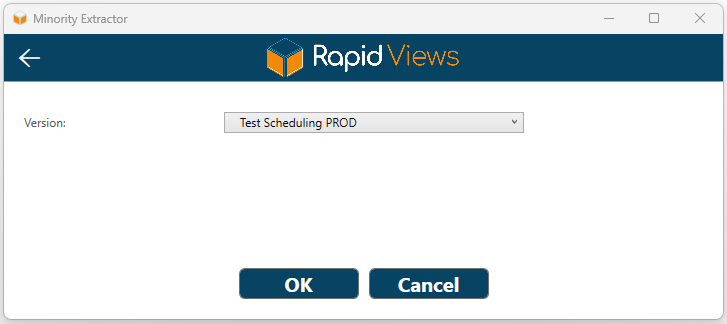
You can now trigger a repository export and subsequent import directly from the Minority Extractor. Three options are available when launching an export: “Classic Export”, “Automatic Export + Import”, and “Scheduled Export + Import”.
For Automatic Import, select the repository version you wish to target. Once validated, the import into BI Smart Repository starts automatically as soon as the source BI tool export is finished.
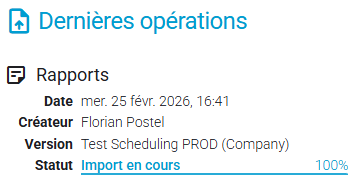
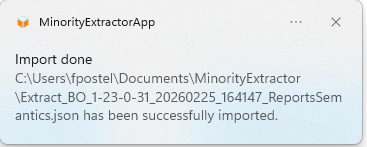
Monitor import progress within BI Smart Repository. A Windows notification will also inform you when the import is complete.
Prerequisite: Requires an active internet connection or open network paths to our application.
Task Scheduling (Beta)
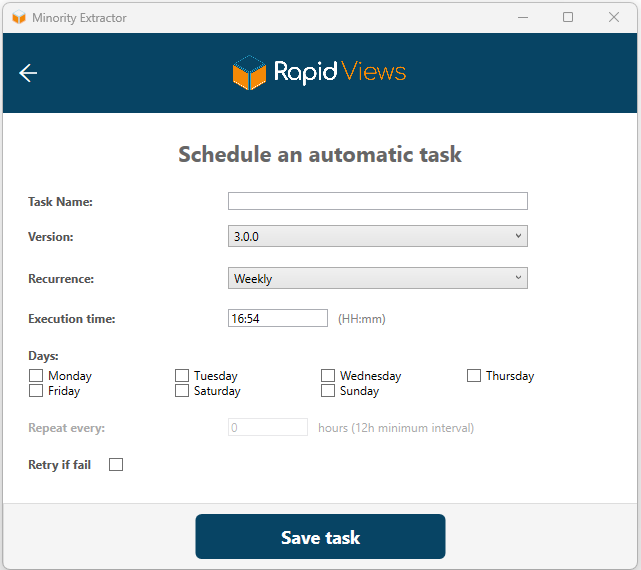
It is now possible to schedule exports and imports directly from the Minority Extractor.
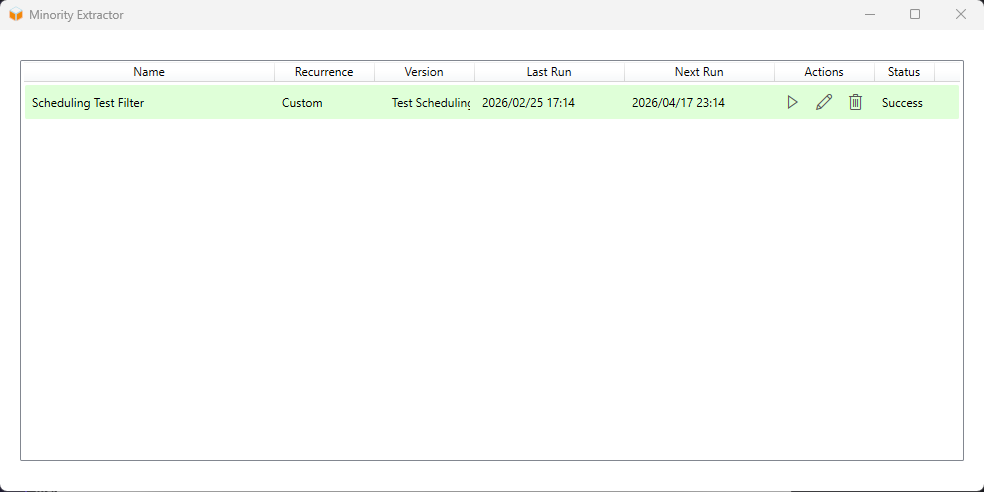
Select “Scheduled Export + Import” to name your task, choose a BI repository version, and set the execution frequency.
Once validated, you can run the task immediately or wait for the scheduled start.
A Task Management menu allows you to view, edit, or execute configured tasks.
Prerequisites: Internet/Network connection and the application must remain running (a “Background Task” mode has been added to keep the tool active in the Windows system tray).
Available for SAP BO and Qlik connectors.
Technical Connectivity & Performance
SAP ABAP & BW ABAP: Connection to the SAP server Load Balancer is now supported.
SAP BW: Improved exports and optimized extraction/loading performance.
AFO Workbooks: Extract Analysis For Office Workbooks from the HANA database via the SAP BW HANA connector.
SAP BO / Web Intelligence: Extraction of new metadata specifically for the Audit interface requirements.
Audit Database Connection: Minority Extractor can now connect via ODBC to the SAP BusinessObjects Audit database. This ensures the most recent data is extracted to power the platform’s audit screens.